




TopSarkariResult.com Tools Portal is India's dedicated, freely accessible educational and utility platform engineered to help millions of competitive exam aspirants and job seekers prepare, apply, and stay organized for government recruitment exams.
When applying for central and state government jobs, candidates frequently encounter strict file upload criteria—such as reducing photo size to between 20 KB and 50 KB, stamping the photo with candidate name and current date, merging identity certificates into a single lightweight PDF, or testing Hindi/English typing speed before court and clerk exams. Our mission is to simplify all these tasks for free directly on mobile phones and desktop computers without needing expensive cyber café visits.
Why Top Sarkari Result Established This Free Tools Portal?
Every year, over 5 crore students apply for major recruitments like SSC GD, UP Police Constable, Railway RRB NTPC, Banking IBPS, and State PSCs. A significant percentage of online application forms get rejected during scrutiny simply due to incorrect image specifications, blurriness, or missing date stamps on photographs.
To eliminate these rejections, TopSarkariResult.com created this dedicated suite of candidate utilities. With over 50,000+ daily active users across India, candidates can effortlessly resize photographs, create job-winning resumes, generate culturally formatted marriage biodatas, and calculate exact age eligibility within seconds.
In Which Online Govt. Job Forms Can These Tools Be Used?
- UPSC (Union Public Service Commission): Ideal for One Time Registration (OTR), Civil Services, NDA, CDS, and CMS applications requiring strict photo dimensions and signature clarity.
- SSC (Staff Selection Commission): Essential for SSC CGL, CHSL, MTS, CPO SI, and Constable GD forms requiring photo resizing to 20-50 KB and clear signatures between 10-20 KB.
- Indian Railways (RRB / RRC): Useful for ALP, Technician, NTPC, and Group D posts where multi-page mark sheets and caste certificates must be merged into lightweight PDF files.
- State Police & Defense Forces: Perfect for UP Police, Bihar Police, Delhi Police, Army Agniveer, and Airforce recruitment portals requiring Date of Photo (DOP) on candidate pictures.
- Teaching & TET Exams: Suitable for CTET, UPTET, Bihar STET, REET, and Super TET applications requiring age eligibility checks and document conversions.
- Judiciary & Clerkship Typing Tests: High Court Steno, Junior Assistant, and CPCT exam preparation using our real-time Hindi and English typing speed test module.
Detailed Breakdown of Available Tools
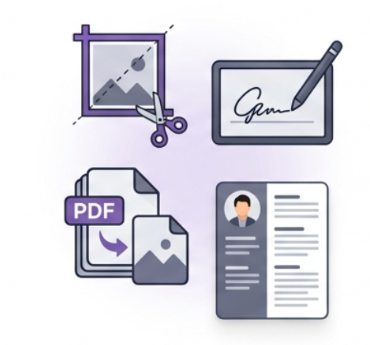
An image resizer tool is a specialized utility used to alter the dimensions (width and height in pixels or centimeters) and reduce the storage size (KB) of digital images without noticeable loss of visual quality. Our tool provides pre-configured one-click presets for SSC, UPSC, and State PSC exams.
In Indian tradition, a marriage biodata provides a respectful and structured summary of an individual's educational background, family lineage, profession, gotra, and contact details. Our tool provides 12+ tasteful designs in both Hindi and English with instant PDF generation.
A clean Curriculum Vitae (CV) is the first impression you make on private and public sector employers. Our Resume Maker enables fresh graduates and experienced professionals to enter their credentials and produce an industry-standard PDF resume in just two minutes.
Government online portals frequently ask candidates to upload all semesters of their graduation or high school mark sheets in a single PDF file under 2 MB. This tool lets you upload multiple JPGs or PNGs, rearrange their sequence, and merge them into one organized PDF file.
Measures gross words per minute (WPM), net words per minute, accuracy percentage, and backspace counts. Supports both standard English and Hindi (Inscript / Mangal font and KrutiDev) with diverse exam passage libraries.
Calculates your exact age down to the day, month, and year from your Date of Birth up to the recruitment cut-off date (e.g., 01 July 2026). Never get confused about whether you satisfy the age criteria again.
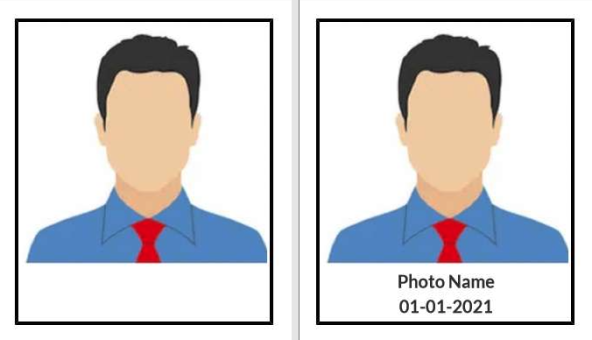
Many recruitment boards reject photos unless they explicitly carry the applicant’s name and the date the photo was taken at the bottom. This tool adds a neat white banner with crisp black text on your image automatically.
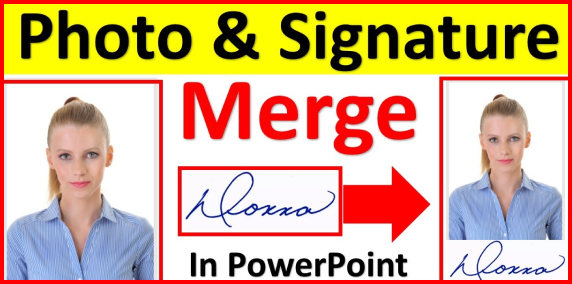
Allows users to combine separate photo and signature files into a single image file, stacked vertically or positioned side-by-side, adhering to the single-file upload requirements of select recruitment boards.
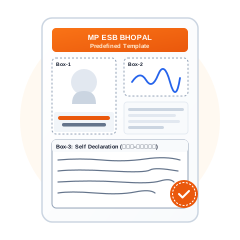
Specifically formatted for the Madhya Pradesh Professional Examination Board (Vyapam), combining the candidate’s photograph, signature box, and handwritten declaration on the official template sheet.
Frequently Asked Questions (FAQ)
No. All tools on TopSarkariResult.com are 100% free with unlimited usage. No account creation, login, or payment details are required.
Yes, our tools use modern HTML5 client-side technology that runs directly in your web browser. Your confidential personal photographs, signatures, and certificates are never sent to or stored on any server.
Yes. Every tool is lightweight and optimized for smartphones, enabling smooth operation on Android, iPhone, tablet, and desktop screens alike.
SSC typically requires passport photos between 20 KB and 50 KB in JPEG format (approx. 3.5 cm x 4.5 cm), and signatures between 10 KB and 20 KB. You can select the "SSC Photo Preset" directly in our Image Resizer.
Disclaimer & User Advisory
Top Sarkari Result Tools (TopSarkariResult.com/tools/) provides free informational and utility software to assist job aspirants in formatting their documents according to publicly available recruitment guidelines. Candidates are strongly advised to always consult the official notification of the respective exam authority for the latest mandated specifications.